Role:
Lead UX Designer
Goal:
To create a user-friendly and engaging quiz game that allows users to participate in contests, track progress, and compete for prizes, while ensuring smooth integration with the existing app ecosystem.
Key Challenges:
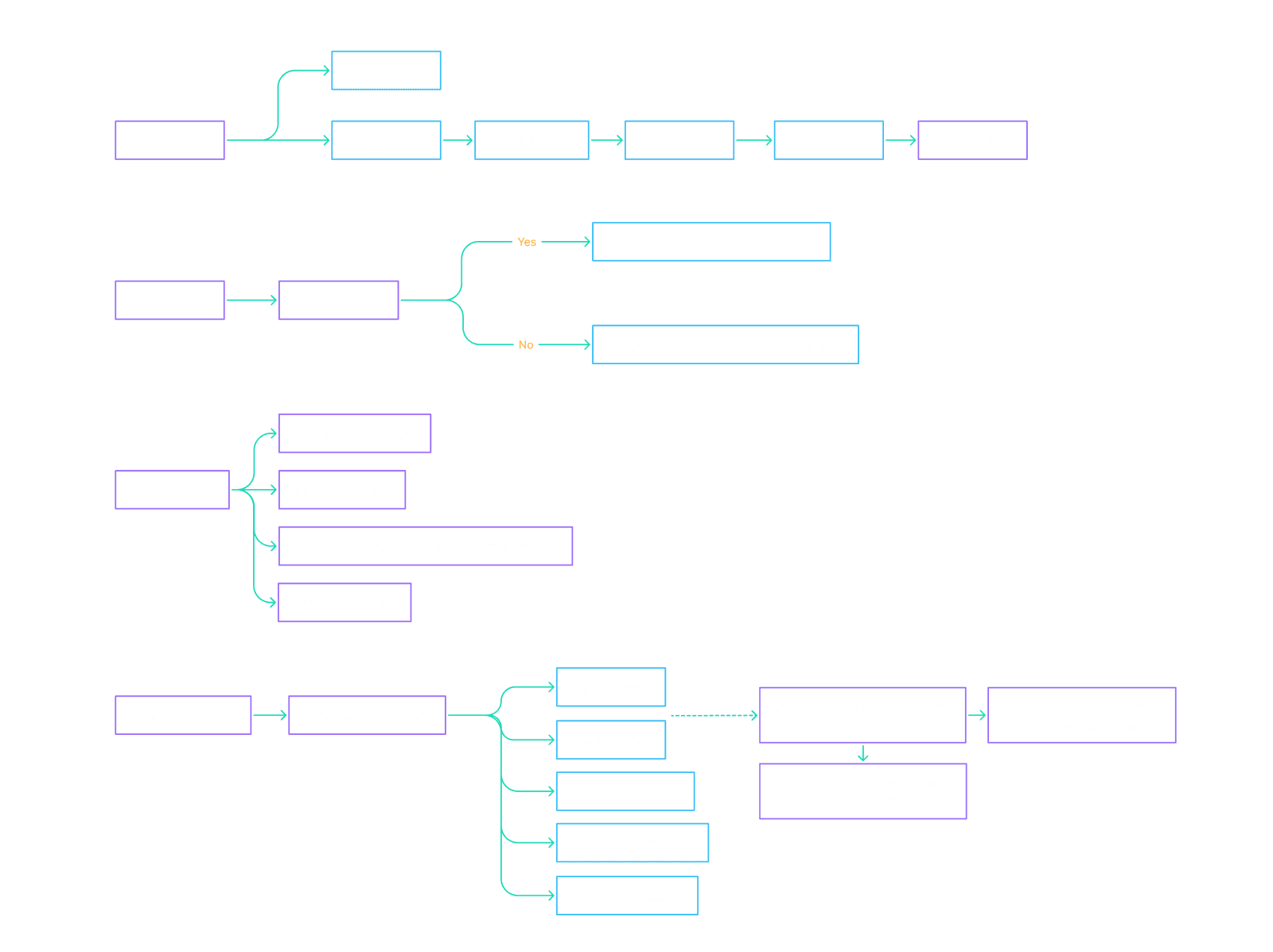
Simple User Flow: Integrating the quiz game into the app’s existing layout without overcomplicating the user experience.
Dynamic Matchmaking: Ensuring smooth matchmaking for head-to-head contests.
Real-Time Feedback: Providing instant feedback during the game while maintaining the excitement of competition.
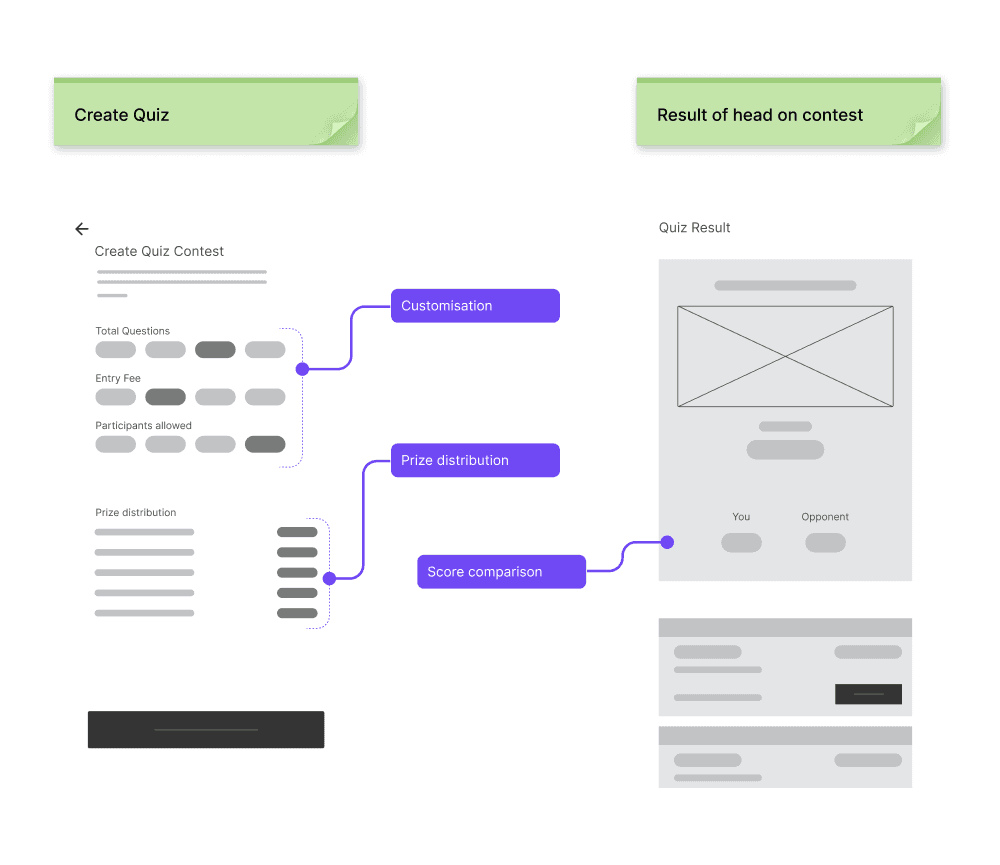
Customisation: Enabling users to create their own quiz contests with adjustable parameters such as number of questions, entry fee, and prize distribution.
Challenge 1: Simplifying the Flow
Solution:
By placing the quiz in a separate tab and simplifying the rules and fee structures, users could easily access the quiz contests without added complexity.
Challenge 2: Head-to-Head Matchmaking
Solution:
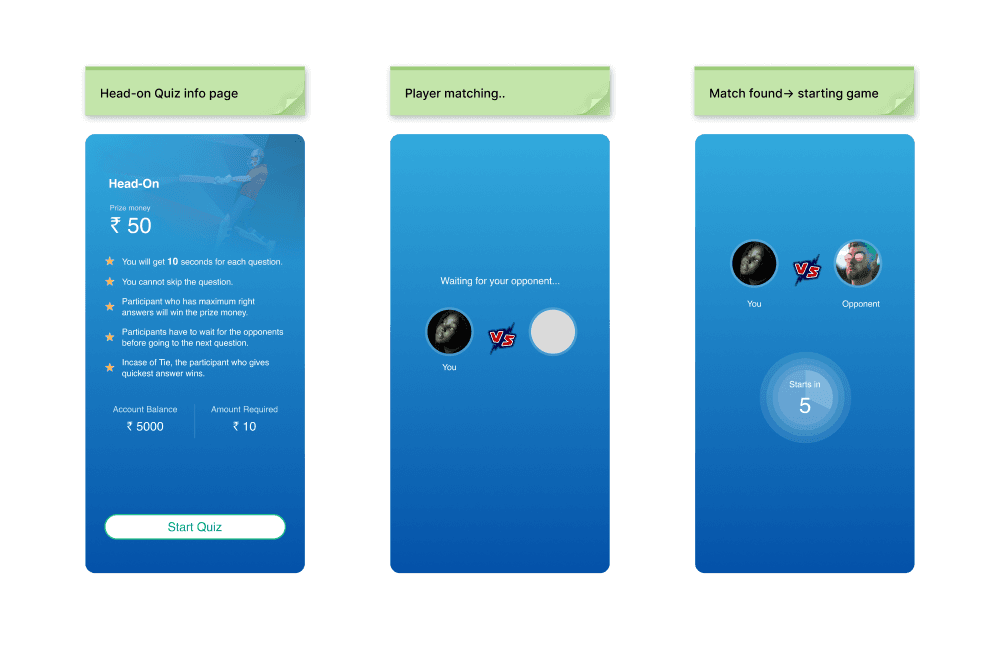
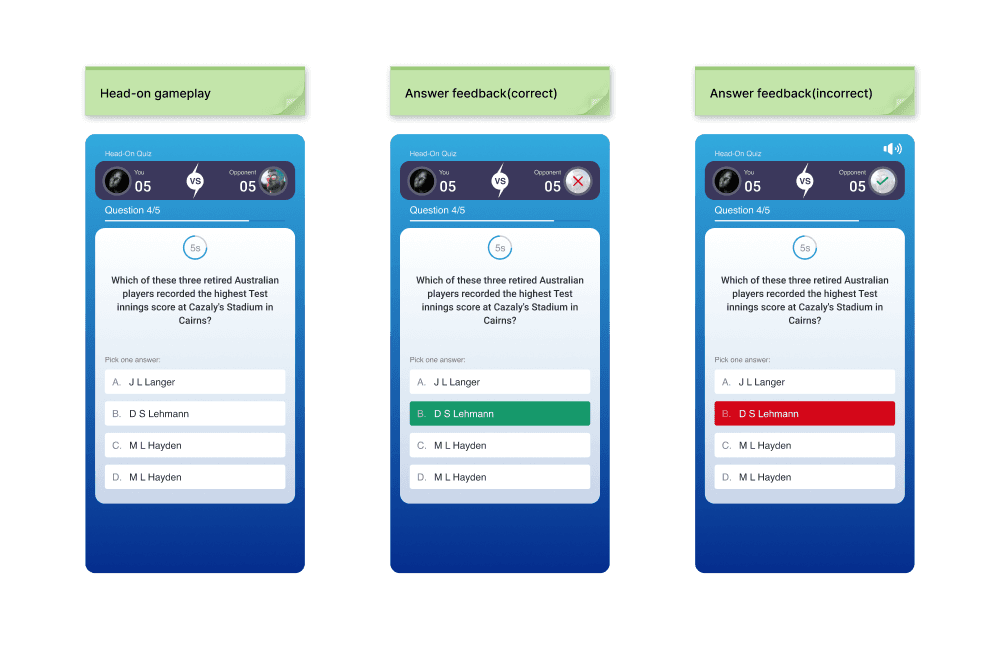
The waiting period after the entry fee payment allowed for smooth matchmaking, and the live scoreboard kept both players engaged throughout the game.
Challenge 3: Maintaining Engagement During Gameplay
Solution:
The visual cue of the circular timer, along with real-time opponent feedback in head-to-head mode, maintained user attention and created excitement.
Challenge 4: Custom Quiz Creation
Solution:
By offering adjustable presets (number of questions, entry fee, etc.), users could easily create personalised contests without being overwhelmed by options.
Quiz Tab & Contest Layout
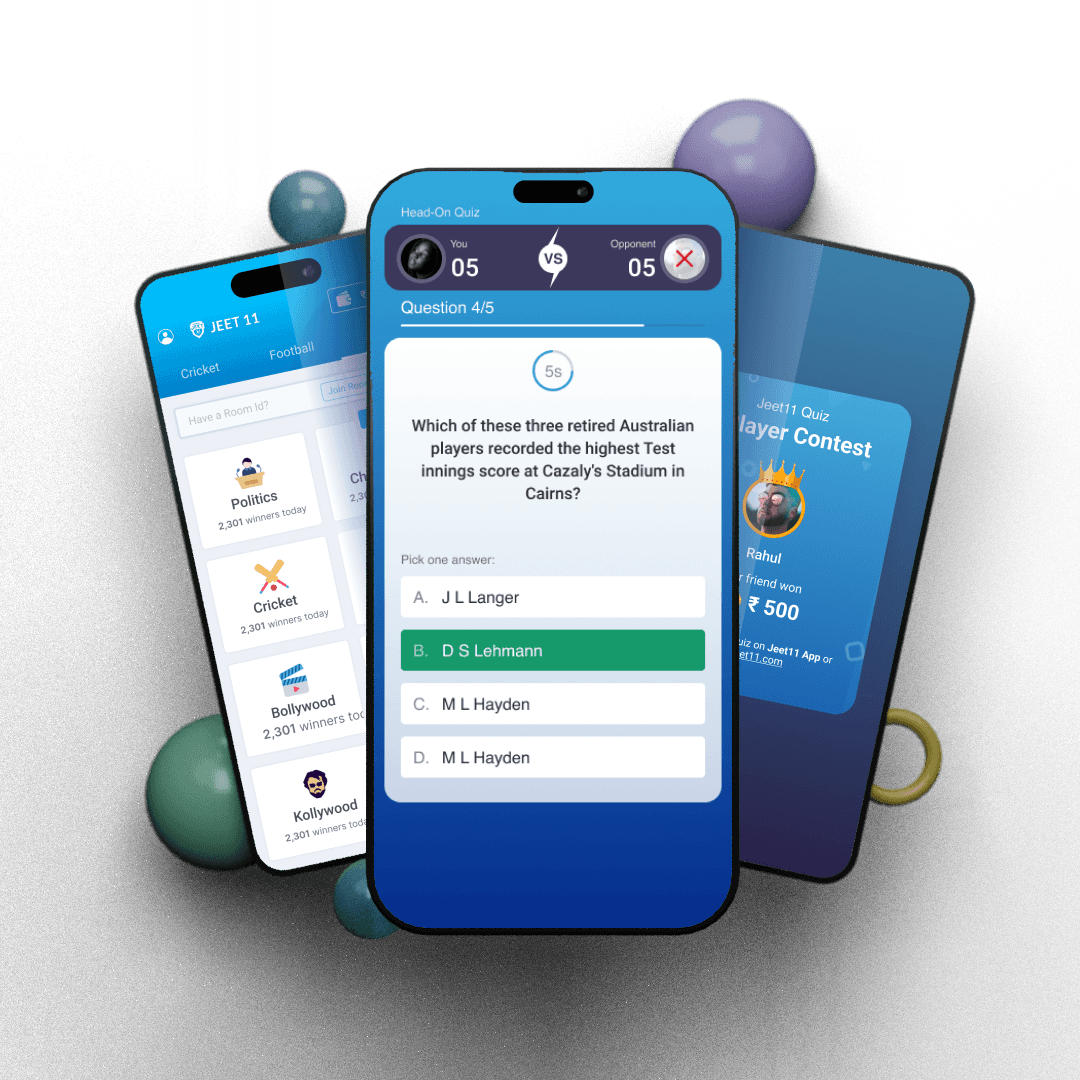
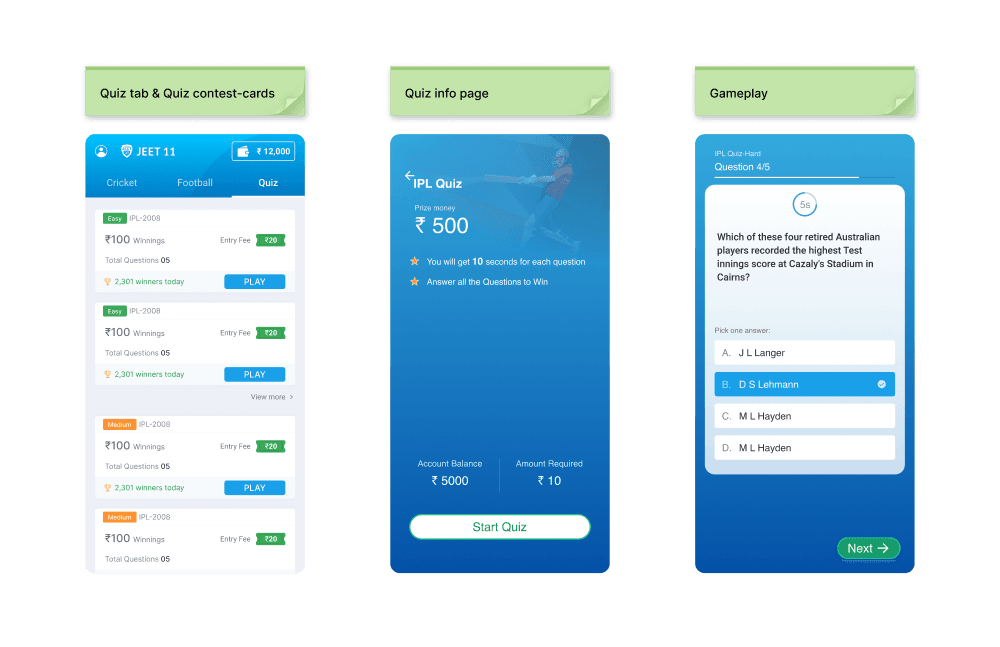
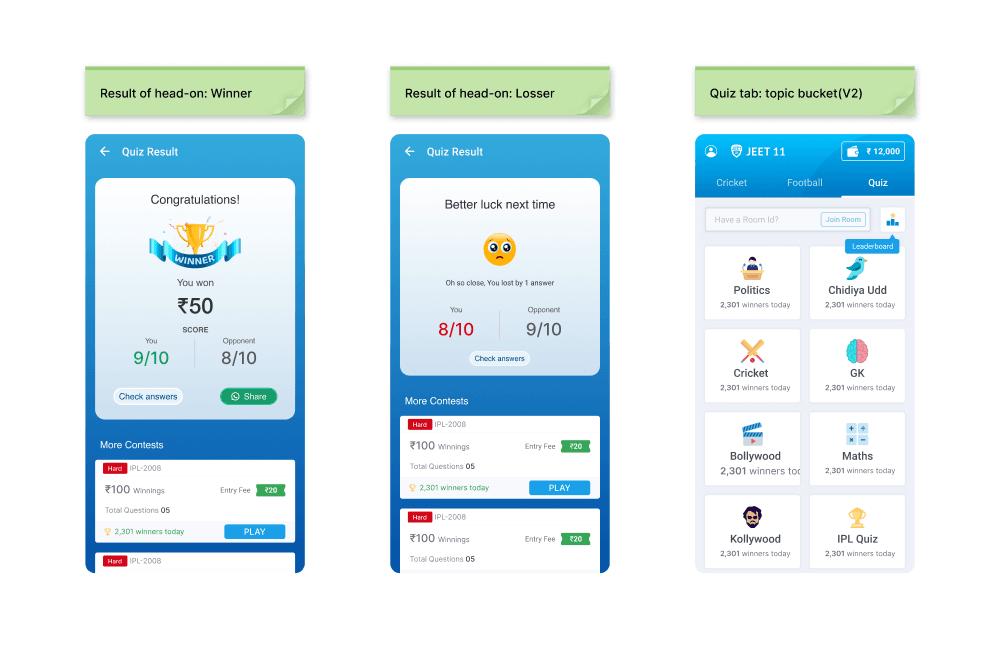
A new Quiz tab was added alongside the existing sports tabs, displaying different quiz contests based on difficulty level, topic, and entry fee.
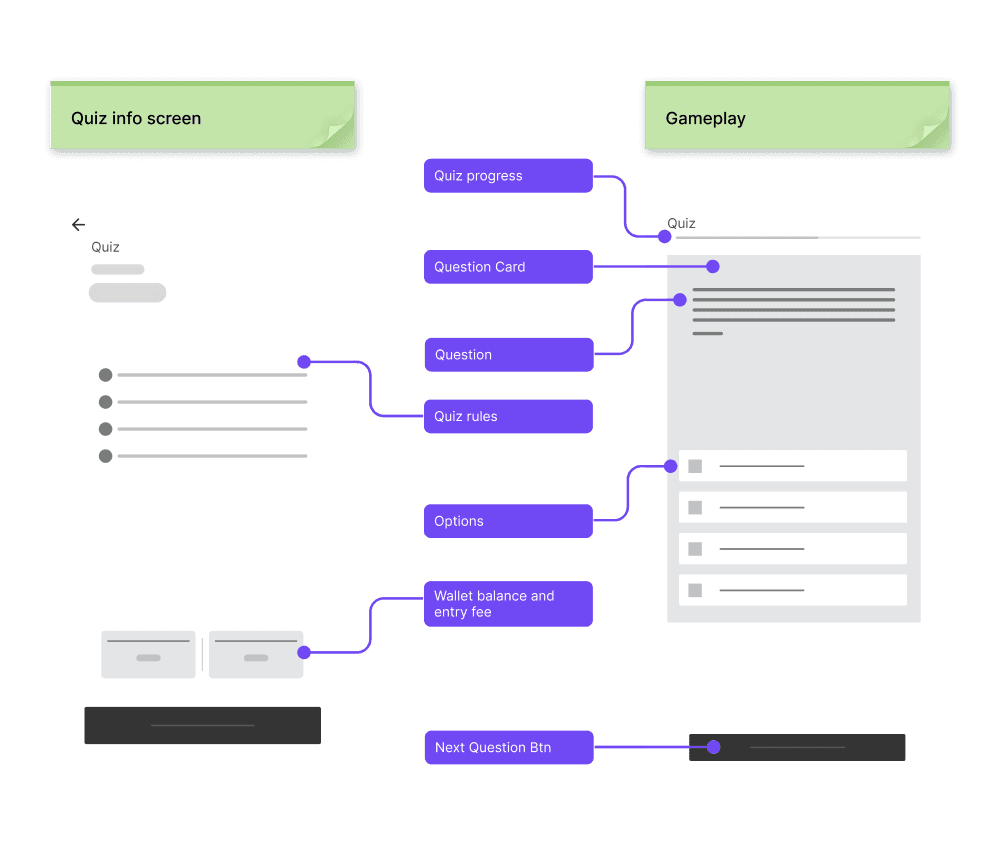
Contest Info Page: This screen prominently displays the quiz topic and prize money. We also included entry fee information and wallet balance, prompting users to recharge if necessary.
Quick Rules & Overview: Before starting the game, users see a brief summary of the rules, entry fee, and prize money.
Gameplay Screen
The quiz gameplay screen is designed to show the quiz topic at the top, the question number and total questions, and a progress bar to indicate how far along the user is in the quiz.
Question Cards: Each card contains one question and four answer options. Users have a limited time to respond, with a circular timer at the top for visual feedback.
If the user answers early, they can manually proceed to the next question using a ‘Next’ button; otherwise, the system auto-forwards them when the timer runs out.
Result Screen
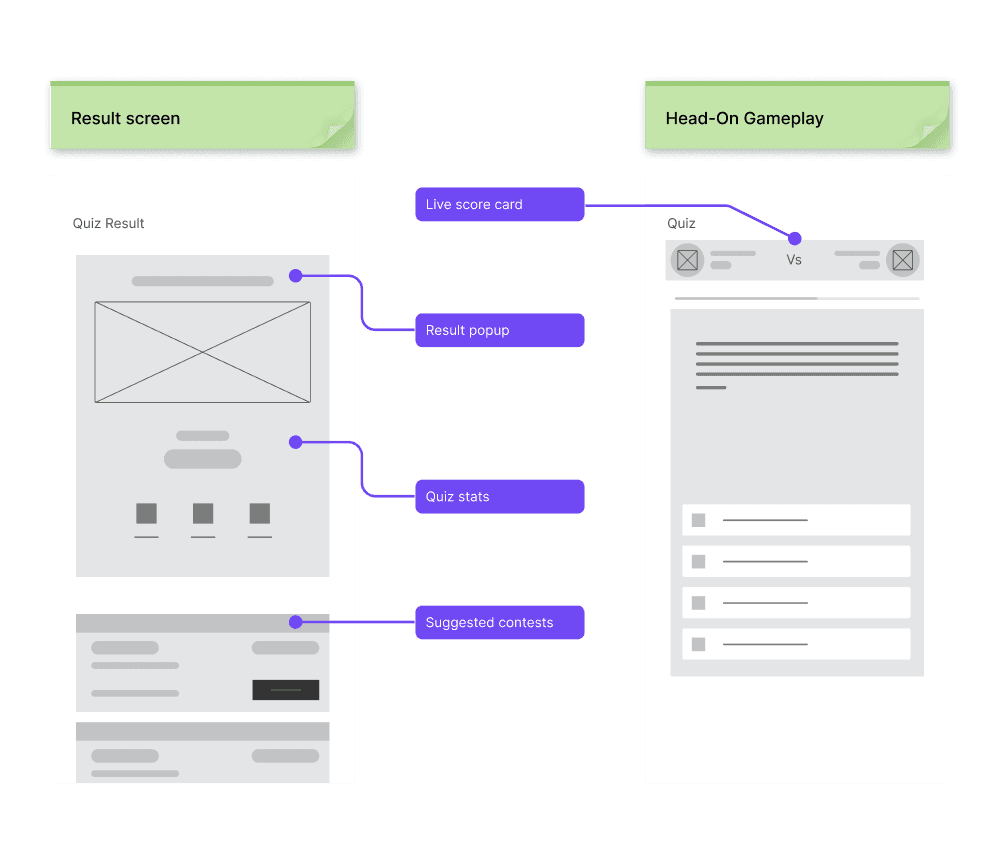
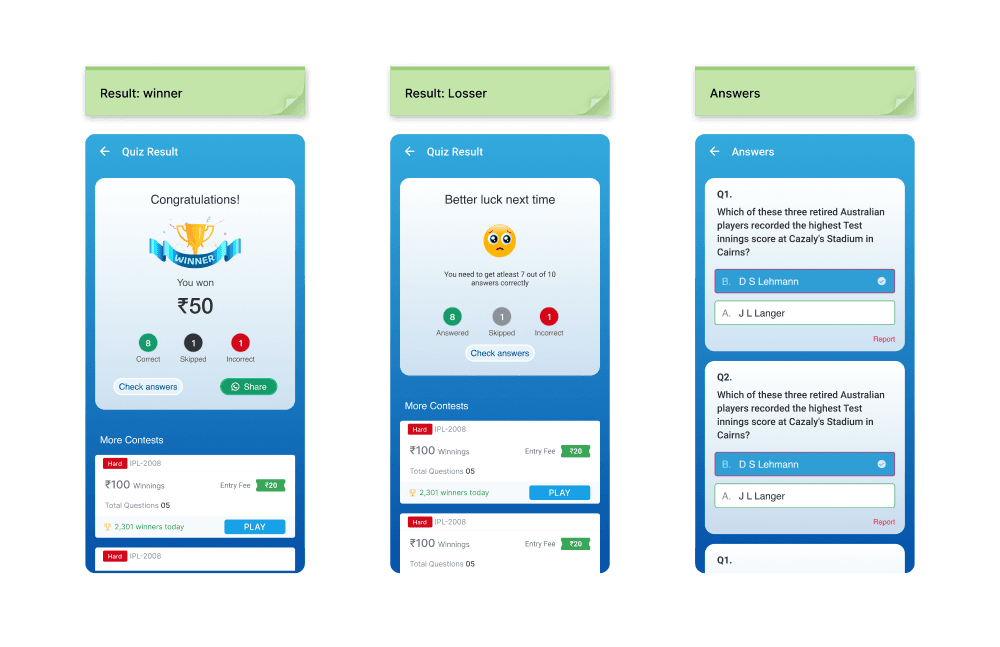
Win/Loss Outcome: After the quiz, users see a summary that includes their result (whether they won or lost), along with statistics such as total questions, correct answers, incorrect answers, and skipped questions.
Users can view a detailed breakdown of each question, showing their selected answer with green/red outlines to indicate correct/incorrect responses.
A share option allows users to share their results via social media as an image.
Head-to-Head Gameplay
For head-on contests, users must wait for a match to be found after paying the entry fee. Once matched, both players proceed to the quiz.
A scoreboard is introduced, showing live scores and whether the opponent's current answer is correct (without revealing the actual answer).
After the quiz, the result screen shows both players' scores and the outcome (win or loss). Users also have the option to request a rematch or join other suggested contests.
Quiz Creation & Customisation
A new quiz home screen was added, where users can browse different quiz topics. They can also join private quizzes via a room ID.
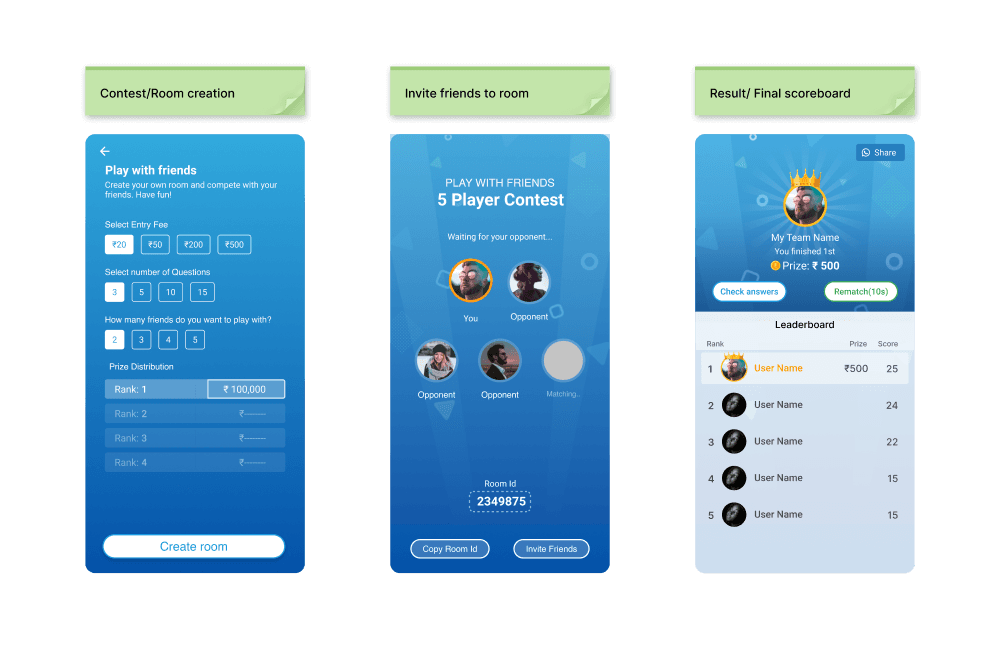
Users can create custom quiz contests by selecting the number of questions, entry fee, number of participants, and a prize distribution template.
After paying the entry fee, the contest creator can invite friends via social media or by sharing the room ID. Once all participants join, the game starts automatically.
Visual Feedback & Engagement
The result screen for custom contests displays a leaderboard, showing players’ scores, positions, and prize money won. The winner's profile is highlighted with visual effects for added gratification.
Background music was integrated to create a sense of competition and tension, with an option for users to mute it if desired.
Increased Engagement: The quiz game added variety to the existing fantasy sports platform, appealing to users with different interests and driving up participation.
Seamless User Experience: The straightforward quiz flow and real-time feedback kept users engaged without complicating the gameplay.
Social Sharing: The shareable result screen encouraged users to invite friends, driving organic growth through social media.
This project successfully diversified the platform’s offerings by introducing a quiz-based competition system. Going forward, additional features like themed quizzes and more customisation options could further enhance the user experience.